
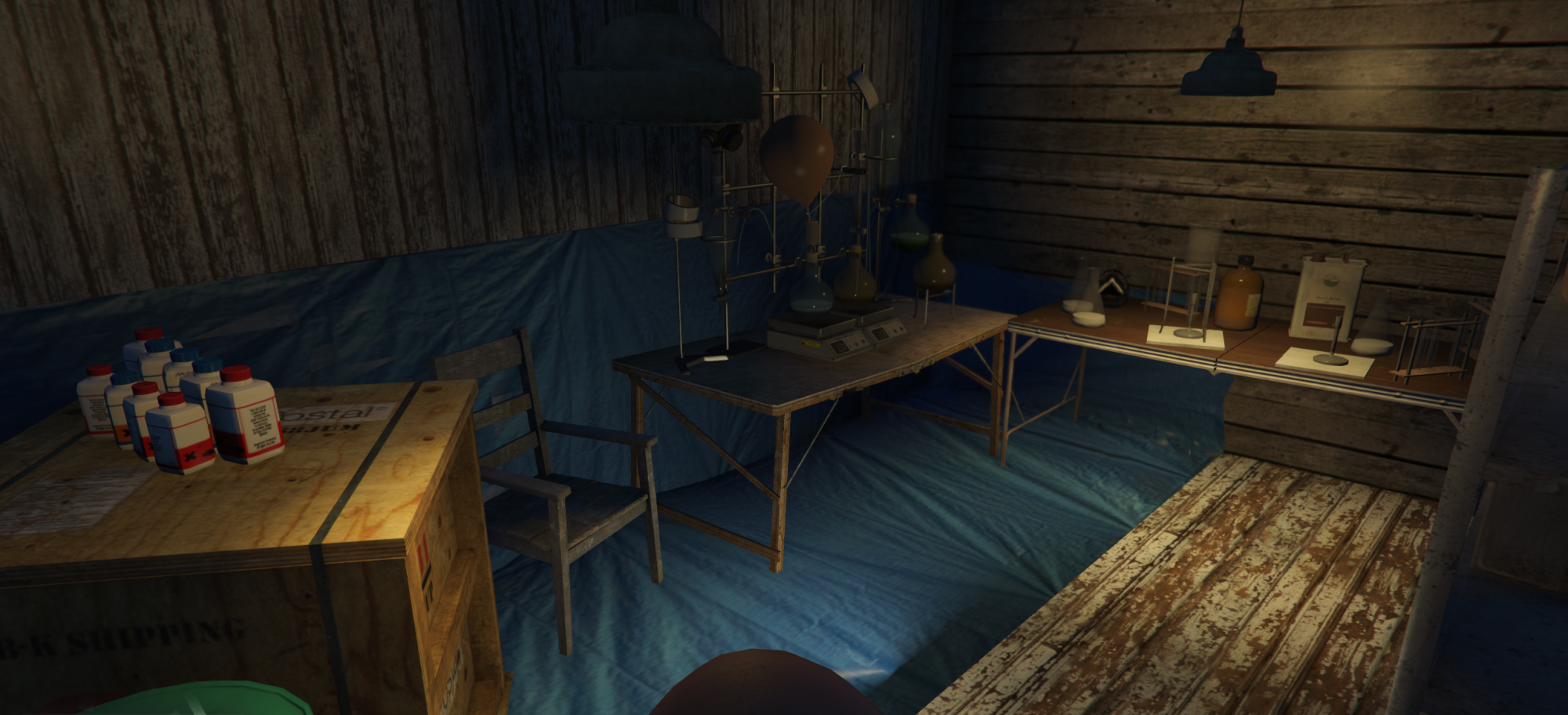

KH Lab Paleto MLO
Atmospheric lab interior for FiveM / GTA V roleplay servers.
Included:
- FiveM ready MLO / interior
- Complete resource folder
- Stream folder with all required files
- Ready for direct server installation
- Preview images / video
Installation:
1. Download the purchased resource.
2. Extract the .zip file.
3. Place the complete resource folder into your server resources folder.
4. Make sure the stream folder stays inside the resource folder.
5. Add the resource to your server.cfg:
ensure kh_lab_paleto
6. Restart your server or start the resource manually.
7. Join your server and test the MLO in-game.
Important:
Do not rename or delete files inside the stream folder unless you know exactly what you are doing. The resource folder name should match the ensure line in your server.cfg.
Delivery:
This product is delivered automatically through Tebex / Cfx.re FiveM Asset Delivery after purchase.
Compatibility:
FiveM / GTA V roleplay servers.
