
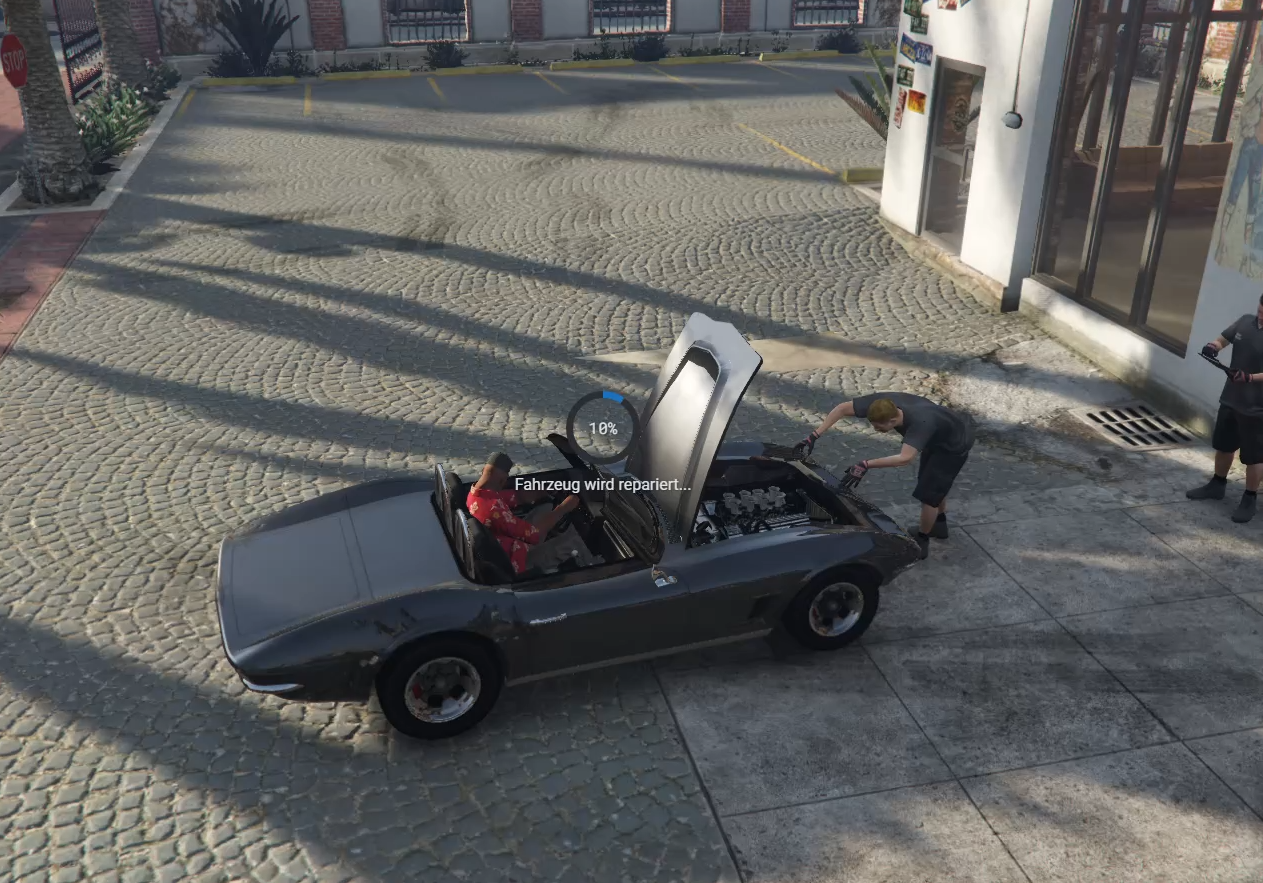

This script gives players the option to repair their vehicle when no workshop or mechanic is currently available. Players can drive to a repair location, start the repair process, and the repair cost will be automatically deducted.
To keep the roleplay feeling alive, the repair is performed by an NPC with a client-side animation instead of instantly fixing the vehicle. This creates a more immersive experience while still making sure players are not stuck with a broken car.
The system checks every 15 seconds if a mechanic service is open. If a mechanic is available, the repair service can stay inactive, keeping the mechanic job relevant and useful.
Different vehicle categories can be fully customized, allowing you to set individual prices for supersport cars, sports cars, trucks, and more. Vehicle category names and settings are adjustable, so you can easily match the system to your server economy.
You can also configure taxes, tax accounts, and mechanic accounts. This allows mechanics or businesses to receive money from the repair service, depending on your setup.
Features
- Vehicle repair service when no mechanic or workshop is available
- NPC repair animation for better roleplay immersion
- Client-side repair animation
- Automatic payment deduction
- Checks every 15 seconds if a mechanic service is open
- Custom vehicle categories
- Individual repair prices per vehicle category
- Adjustable category names
- Configurable taxes
- Configurable tax account
- Configurable mechanic account
- Option to reward the mechanic business/account
- Designed as a backup system for mechanic jobs and workshops
- Easy installation
Requirements
This script is made for ESX and OX_Lib.
Both must be installed and running on your server.
Installation
Installation instructions are included inside the folder.
Basic setup:
- Copy the resource folder into your server resources.
- Make sure ESX and OX_Lib are installed and started.
- Add the resource to your
server.cfg:
ensure foldername
- Restart your server.
- Configure prices, vehicle categories, accounts, and settings.
- Done.
Replace foldername with the actual name of the resource folder.
