
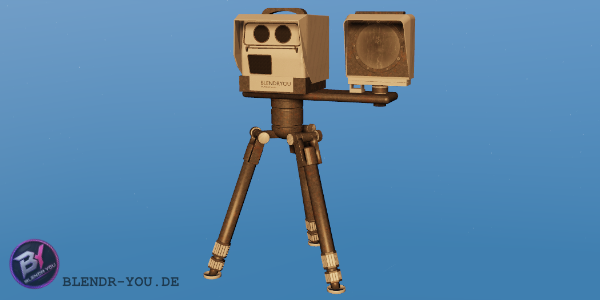
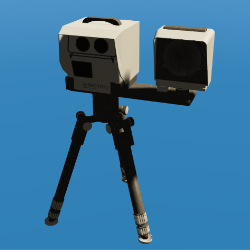
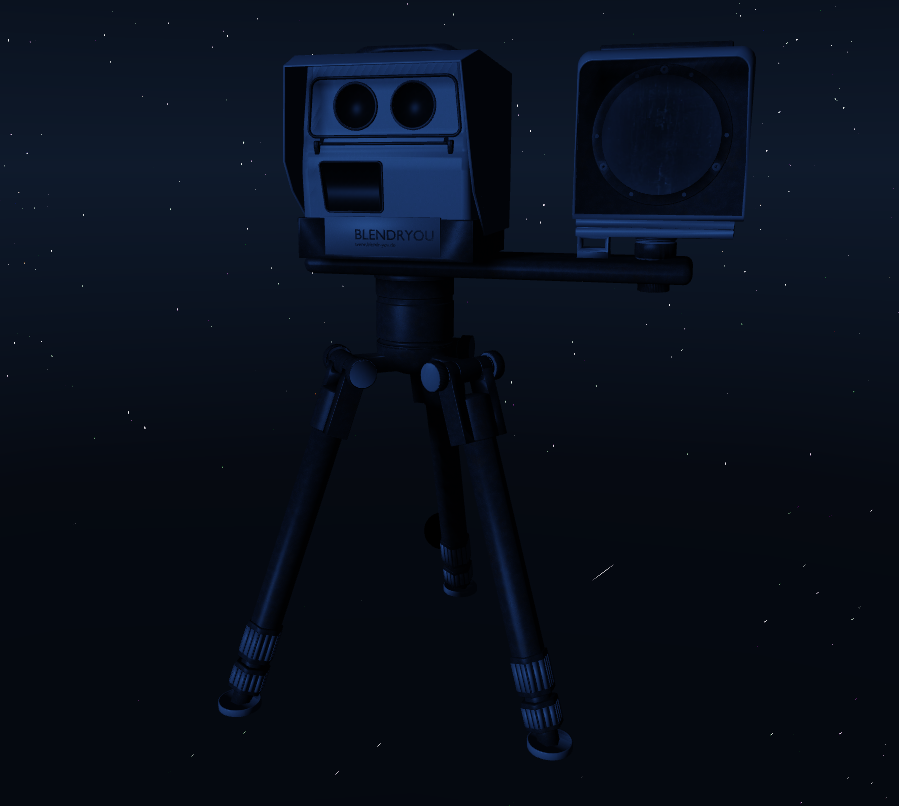

Bring realistic roadside speed control to your FiveM server with this fully functional Police Speed Camera System.
This package includes a custom speed camera prop and a working script that allows authorized police officers to place, configure, and manage speed cameras directly in-game. It is designed for roleplay servers that want to give their police department a practical and immersive way to monitor traffic, document speeding vehicles, and automatically fine reckless drivers.
The system is built to be simple for officers to use, while still keeping important settings such as fine amounts protected inside the server files.
Features
-
Fully functional speed camera system
-
Custom speed camera prop included
-
In-game police menu
-
Officers can place speed cameras directly in-game
-
Adjustable speed limit per camera
-
Fine amounts are controlled only through server files
-
Automatic bank account fine deduction
-
Soft camera flash effect for the driver
-
Camera sound feedback when flashed
-
Supports multiple active cameras
-
Cameras are saved and loaded after restart
-
Edit nearby camera speed
-
Delete nearby cameras
-
View active camera list
-
Detects speeding vehicles from both sides of the road
-
Increased detection radius for better roadside coverage
-
Repeat offender system with increasing fines
-
Designed for ESX and ox_lib
In-Game Police Menu
Police officers can open the speed camera menu with:
/blitzermenu
The menu includes:
New Speed Camera
Edit Nearby Camera Speed
Delete Nearby Camera
Camera List
This allows police officers to manage speed cameras without needing staff tools or manual file edits.
Placement Controls
When placing a new speed camera, officers can position the prop directly in-game.
Arrow Keys = Move the camera
Q / E = Move up and down
Mouse Wheel = Rotate the camera
ALT = Slow / precise movement
ENTER = Confirm placement
BACKSPACE = Cancel placement
This makes it easy to place the camera exactly where it should be, whether it is on the side of the road, near a checkpoint, at a traffic stop location, or in front of a police speed control setup.
Speed Limit System
After placing the camera, the officer can set the speed limit directly in-game.
Example:
50 km/h
80 km/h
100 km/h
The speed limit can be adjusted later through the menu by selecting the nearby camera.
Fine amounts cannot be changed by police officers in-game. They are configured only in the server files, making sure that only the server team can control the economy and fine balance.
Automatic Fine System
When a driver passes the speed camera above the configured speed limit, the script automatically detects the speed and applies the correct fine.
The money is automatically removed from the player’s bank account.
The driver also receives a notification showing:
Current speed
Speed limit
Fine amount
Repeat offender increase, if active
Soft Flash Effect
When a player gets caught speeding, they receive a short and soft screen flash.
This effect is designed to be noticeable but not disruptive. It gives the driver clear feedback that they were flashed by the camera, without fully blinding them or interrupting driving.
The flash strength and duration can be adjusted in the config.
Repeat Offender System
The system includes a repeat offender penalty.
If a player is caught speeding multiple times within 30 minutes, the fine increases by 5% each time.
Example:
1st offence = regular fine
2nd offence = +5%
3rd offence = +10%
4th offence = +15%
After 30 minutes, the repeat offence history resets and the player pays the regular fine again.
This creates a stronger punishment for reckless drivers without permanently affecting them.
Installation
- Download the resource.
- Place the folder into your server resources directory.
- Make sure the stream folder contains the included prop files.
- Add the resource to your
server.cfg.
Example:
ensure ox_lib
ensure es_extended
ensure blendr_poliscan_m300
- Restart your server or restart the resource.
restart blendr_poliscan_m300
Required Dependencies
This resource is made for:
ESX
ox_lib
Both resources must be installed and started before this speed camera resource.
Configuration
The main configuration file allows you to adjust:
Police job names
Camera model name
Detection radius
Speed tolerance
Placement movement speed
Flash effect duration
Flash strength
Repeat offender time window
Repeat offender percentage increase
Fine amounts are configured separately in the server-side config file.
This keeps economy-related settings protected and prevents normal police officers from changing fine prices in-game.
Server-Side Fine Configuration
Fine prices can be changed in the server config.
Example:
1 km/h over limit = low fine
20 km/h over limit = higher fine
50 km/h over limit = heavy fine
100 km/h over limit = maximum fine
This allows every server team to balance punishments based on their own economy.
Usage Example
A police officer opens the menu with:
/blitzermenu
Then selects:
New Speed Camera
The officer places the camera on the roadside, rotates it with the mouse wheel, adjusts the height with Q/E, confirms the placement, and sets the desired speed limit.
Once saved, the camera becomes active for all players.
If a driver speeds past it, they are flashed and automatically fined.
Important Notes
This resource is designed as a police roleplay tool. It can be used for temporary police speed checks, roadside operations, traffic enforcement, or permanent speed camera locations.
The speed camera is not only a decorative prop. It comes with a fully working script system, in-game placement menu, automatic fine handling, and driver feedback effects.
Summary
This Speed Camera System is perfect for servers that want more realistic traffic enforcement and more interaction for police officers.
It gives your LSPD, BCSO, or highway patrol units a proper tool to control speeding vehicles, create more traffic RP, and punish reckless driving automatically without needing manual staff involvement.
